Voiso provides raw data streaming from the Call Details Record (CDR) webpage to Amazon’s Simple Queue Service (AWS SQS) for client-end processing.
This simplex communication channel only sends information in one direction. You CANNOT retrieve any records using this interface. Voiso cannot interact with your data once it is on AWS SQS.
Use the one-way Raw Data Streaming to Amazon SQS integration to copy Call Details Record (CDR) data from Voiso to Amazon Web Service's Simple Queue Service (AWS SQS) for client-end processing outside of Voiso.
Voiso provides two ways to replicate your call data to AWS SQS: the Event-based system and the Legacy system, which is described at the bottom of this article.
Replicate call data to AWS SQS
The Raw Data Streaming to Amazon SQS integration automatically copies call details to your Amazon Simple Queue Service (AWS SQS) fully managed message queueing service. You can then use your own or a third-party application to process call records for Business Intelligence purposes, such as triggering alarms or extracting meaningful data to gain insights into your call records.
This communication channel only sends information in one direction. You CANNOT retrieve records from AWS SQS via the interface.
Activation
To use the Raw Data Streaming to AWS SQS pre-built integration, you must first enable it in the Voiso System Settings. Navigate to Administration > System Settings, and click Enabled in the AWS SQS Settings section.
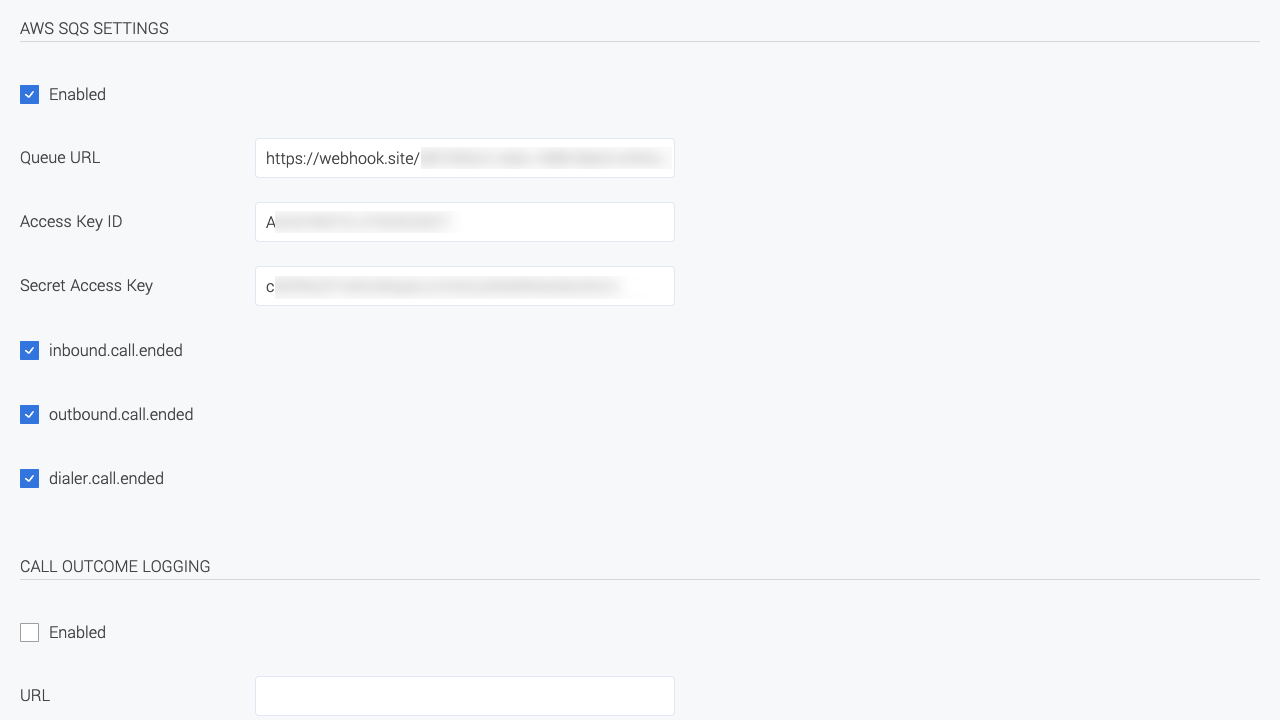
After enabling the AWS SQS feature, specify the following parameters as defined by your Amazon account:
- Queue URL
- Access Key ID
- Secret Access Key
Next, select one or more call events to trigger the webhook to replicate call data:
Follow the links above to view the details of the data replicated to AWS using these webhooks.
Legacy system
Activation (Legacy system)
To use the Raw Data Streaming to AWS SQS pre-built integration, you must first enable it in the Voiso System Settings. Navigate to Administration > System Settings, and click Enabled in the AWS SQS Settings section.
After enabling the AWS SQS feature, specify the following parameters as defined by your Amazon account:
- Queue URL
- Access Key ID
- Secret Access Key
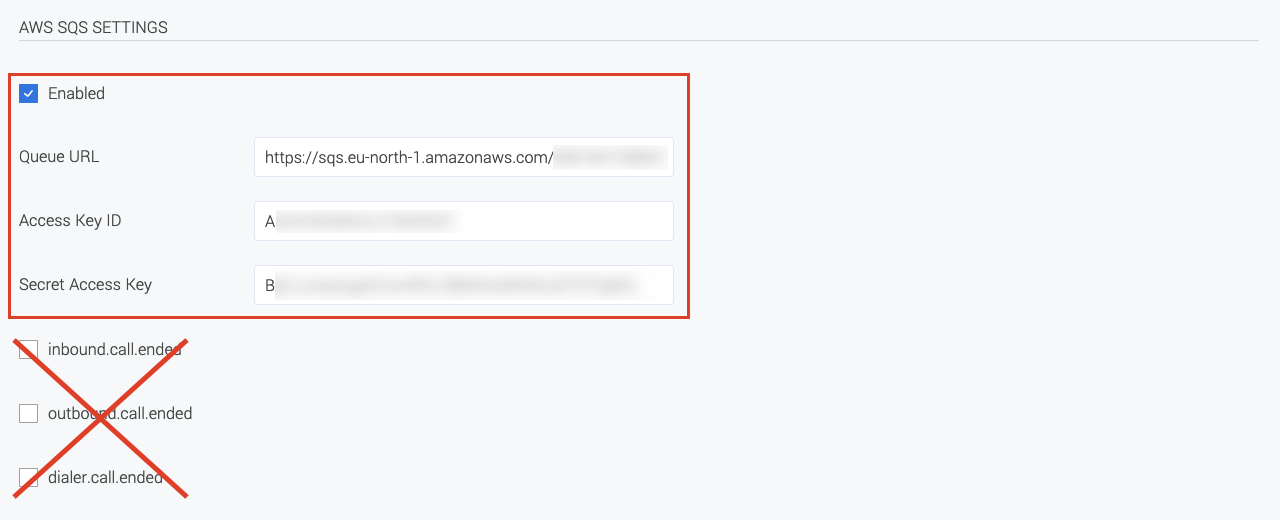
To use the legacy system, do not select any of the *.call.ended webhook options.
Event (Legacy system)
Sent Object
{
  "type": "outbound",
  "uuid": "c5fbf489-d054-403c-979b-f08d254ba569",
  "agent_name": "TM",
  "duration": 557.251,
  "team_names": "Donkey Team, NK/team",
  "talk_time": 554.987,
  "callcenter_uuid": "8dfdaa1b-b40d-4e47-bce4-1ce0f05f87b8",
  "agent_extension": "22822",
  "disposition": "answered",
  "hangup_reason": "agent",
  "start_time": 1578614623.585,
  "end_time": 1578615180.836,
  "dnis": "5001",
  "ani": "4402078878888"
}
Fields
| Name | Type | Description | Value |
|---|---|---|---|
| type | string (15) | call type | inbound, outbound, dialer, click_to_call, outbound_sms |
| uuid | string (36) | call id | |
| agent_name | string (225) | agent_name | |
| duration | float | call duration (including dialing time) | |
| team_names | string (2048) | team name | |
| talk_time | float | billable call duration | |
| callcenter_uuid | string (36) | call center id | |
| agent_extension | string (15) | agent extension | |
| disposition | string (36) | call disposition | answered, failed, busy, no_answer, missed, abandoned, rejected, dialer_abandoned, system_abandoned, answered_by_VM, system_reject, machine_answered |
| hangup_reason | string (225) | call termination reason | |
| start_time | float | call start time (by contact center time zone) | |
| end_time | float | call end time (by contact center time zone) | |
| dnis | string (24) | origination number | |
| ani | string (24) | destination number |