Who should read this article: Administrators
The Billing report historical report tracks billed voice usage for your agents and Dialer campaigns during a selected period. It helps you analyze call costs, understand spending by agents and groups, and review charges by destination country when needed.
Introduction
The Billing report summarizes all billed call charges for your contact center agents by team for a chosen date range. It includes:
- Manual outbound and Click-to-call calls
- Dialer campaign calls
- Answering Machine Detection
After selecting the reporting period and filters and running the report, the results appear in the Billing Report page. You can export the current view to a CSV file for further analysis.
Calls are grouped by the date and time they are billed, not by the time they started. For example, a two hour call that starts at 23:50 on June 1 and is billed on June 2 appears in the report for June 2.
The Billing report is not an invoice.
Use Case
The Billing report helps finance, operations, and contact center managers understand how much they spend on calls over a given period and where those costs come from.
Typical use cases include:
- Tracking call costs by agent and group for a selected date range
- Reviewing spending on Dialer campaigns and identifying the most expensive campaigns
- Analyzing calls by destination country to understand which regions drive the highest costs
- Including deactivated agents in historical analysis of billed activity
By using this report together with other historical reports, you can monitor usage trends, support internal chargebacks, and validate call charges that appear on your invoices.
Configuring the report
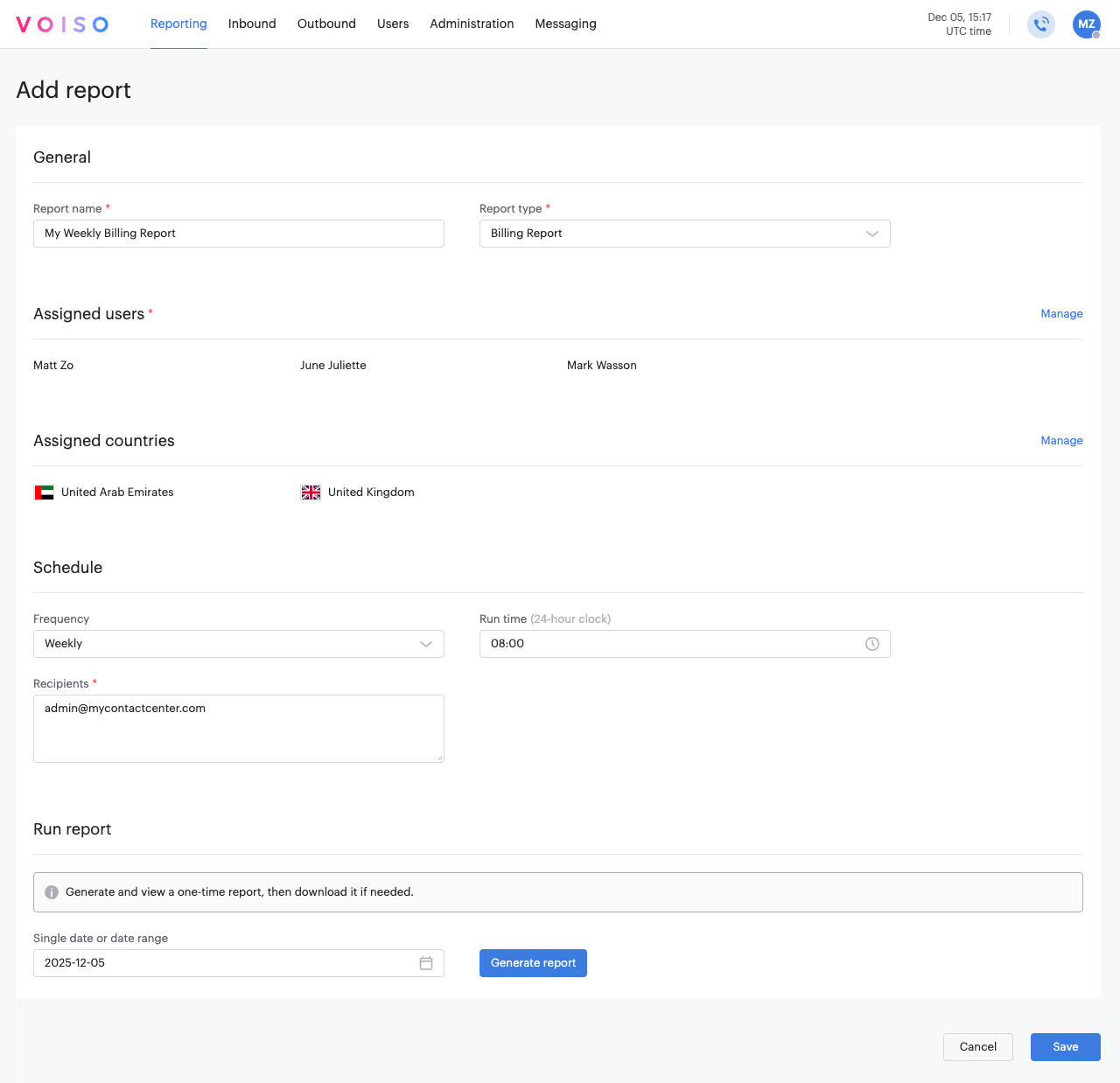
General section
No report-specific configuration is required.
Assigned users section
To add users or teams of users to report on, from the Assigned users section, click Manage to display the Users assignment panel.
The panel comprises three tabs, make at least one selection from any of them:
- Teams: select one or more teams for the report.
- Active users: select one or more users from your contact center for the report.
- Deactivated users: select one or more users whose account has been deactivated from your contact center for the report. Note: only the 200 most recently deactivated users are displayed. To find older deactivated users, use the Search option.
Assigned countries section
You can choose to break down the costs by country. To divide costs by destination country in the report, from the Country assignment section, click Manage to display the Country assignment panel.
Select one or more destinations to report on. When selected, the report shows separate columns for each selected destination country with billed calls, as well as an Other column for calls that cannot be assigned to a specific country.
Schedule
This report can be scheduled for automatic delivery to one or more email addresses. For details, see Historical reports overview.
Run report
To run a one-time report, select the reporting date and click Generate report. You can choose to save the current configuration for future use.
See Historical reports overview for more details.
Results
The Billing report returns billed call charges for the selected period, organized by the users and teams you selected.
The results are divided into three tables:
| Table | Headings | Description |
|---|---|---|
| Manual outbound + click-to-call | Agent | The agent's username. |
| Team | The name of the team or teams, if any, to which the user is assigned. | |
| Total | The total cost for calls accrued by the user during the report period. | |
| Country code | Columns are added for each country selected in the Assigned countries section. | |
| Dialer campaigns | Campaign ID | The ID number of the campaign. |
| Team | The name of the team or teams, associated with the campaign. | |
| Total | The billed usage for Dialer campaigns associated with the selected users during the report period. | |
| Country code | Columns are added for each country selected in the Assigned countries section. | |
| Answering Machine Detection | Agent | The agent's username. |
| Team | The name of the team or teams, if any, to which the user is assigned. | |
| Total | The total cost for Answering Machine Detection accrued by the user during the report period. | |
| Country code | Columns are added for each country selected in the Assigned countries section. |
Each table includes a Total row at the bottom for each cost column.
You can sort each table by any column and export the current view as a CSV file.
For more information about exporting historical reports, see Historical reports overview.