Who should read this article: Administrators
Choose which performance metrics are shown to agents in Agent Panel and Omnichannel Agent Workspace, including agent level call and time statistics, outbound call duration buckets, and availability state duration tracking. This helps standardize what agents see when monitoring their performance.
Introduction
Select the metrics that you want to display in Agent Panel and Agent Workspace to allow agents to track their performance.
Metrics section
Select the metrics to display on the Agent metrics screen in Agent Panel.
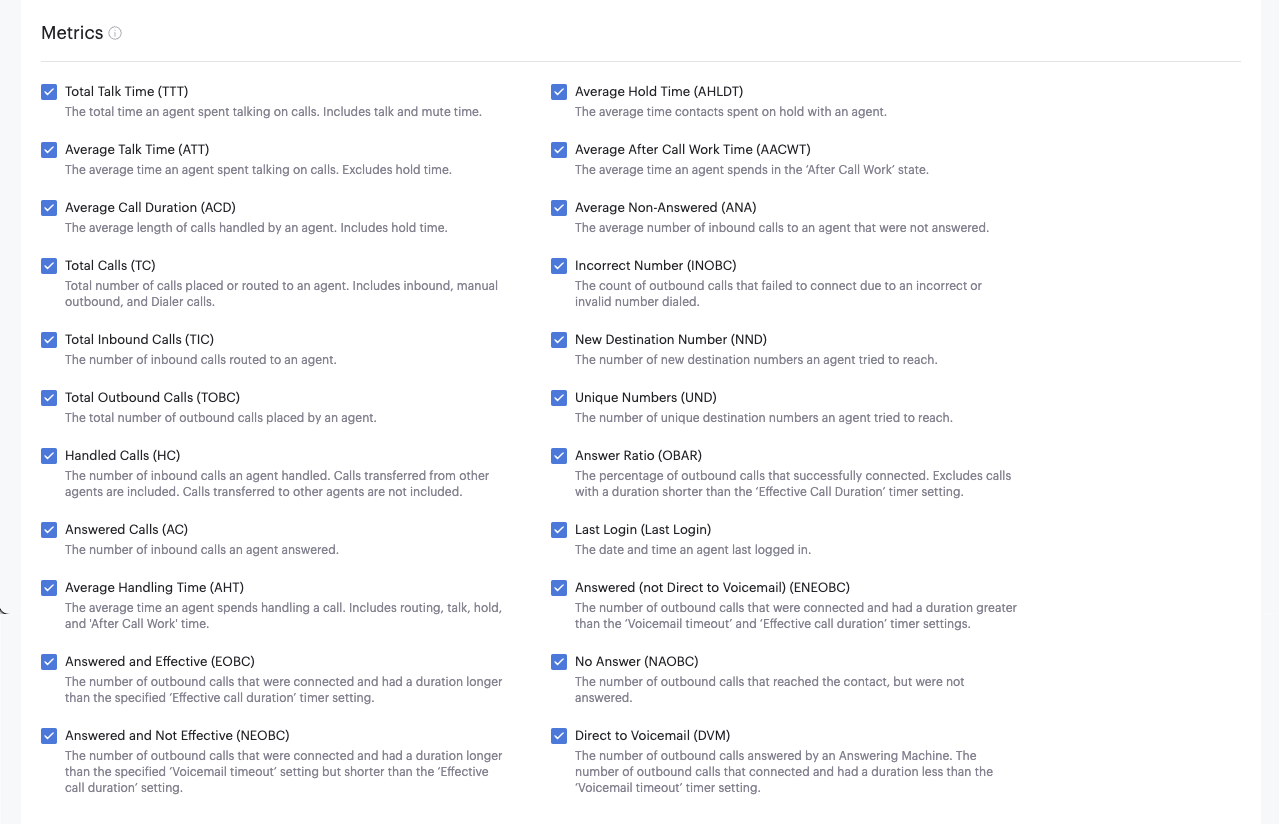
| Metric | Description |
|---|---|
| Total Talk Time (TTT) | The total time an agent spends talking on calls. Includes talk and mute time. |
| Average Hold Time (AHLDT) | The average time callers spend on hold with an agent. |
| Average Talk Time (ATT) | The average time callers spend speaking with an agent. It does not include hold time. |
| Average After Call Work Time (AACWT) | The average time an agent spends in the After Call Work state. |
| Average Call Duration (ACD) | The average time callers spend on the phone with an agent. Includes hold time. |
| Average Non-Answered (ANA) | The average number of inbound calls routed to an agent that were not answered by the agent |
| Total Calls (TC) | Total number of calls placed or routed to an agent. Includes inbound, manual outbound, and Dialer calls. |
| Incorrect Number (INOBC) | The number of outbound calls that could not be completed due to an incorrect called party number. |
| Total Inbound Calls (TIC) | The number of inbound calls routed to an agent. |
| New Destination Number (NND) | The number of new destination numbers an agent tried to reach. |
| Total Outbound Calls (TOBC) | The total number of outbound calls an agent placed. |
| Unique Numbers (UND) | The number of unique destination numbers an agent tried to reach. |
| Handled Calls (HC) | The number of inbound calls an agent handled. Calls transferred from other agents are included, but calls transferred to other agents are not included. |
| Answer Ratio (OBAR) | The percentage of outbound calls that connected. It does not include calls that were shorter than the Effective Call Duration timer setting. |
| Answered Calls (AC) | The number of inbound calls an agent answered. |
| Last Login (Last Login) | The date and time an agent last logged in. |
| Average Handling Time (AHT) | The average time an agent spends handling a call. Includes routing, talk, hold, and after call work time. |
| Answered (not Direct to Voicemail) (ENEOBC) | The number of outbound calls that were answered by a person and had a duration longer than the VoiceMail timeout timer setting. |
| Answered and Effective (EOBC) | The number of outbound calls that were connected and had a duration longer than the Effective Call Duration timer setting. |
| No Answer (NAOBC) | The number of outbound calls that reached the contact, but were not answered. |
| Answered and Not Effective (NEOBC) | The number of outbound calls that were connected and had a duration longer than the VoiceMail timeout timer setting, but shorter than the Effective Call Duration timer setting. |
| Direct to Voicemail (DVM) | The number of outbound calls answered by an Answering Machine. The number of outbound calls that connected and had a duration less than the VoiceMail timeout timer setting. |
Outbound call duration count section
The Outbound call duration count metrics display a count of the number of calls for each of the duration categories:

| Metric | Description |
|---|---|
| 0-1 min | The number of outbound calls with a duration of more than 0 and less than 60 seconds. Dialer calls included. |
| 1-3 min | The number of outbound calls with a duration of more than 1 and less than 3 minutes. Dialer calls included. |
| 3-10 min | The number of outbound calls with a duration of more than 3 and less than 10 minutes. Dialer calls included. |
| 10+ min | The number of outbound calls with a duration of over 10 minutes. Dialer calls included. |
Agent availability state duration section
The Agent availability state duration metrics display the time that the user was in each of the selected states:

| Metric | Description |
|---|---|
| Offline | The duration an agent was not connected to the network after login. |
| Inbound | The duration an agent was in the Inbound status after login. |
| Unavailable | The duration an agent was in the Unavailable (with reason) status after login. |
| Outbound | The duration an agent was in the Outbound status after login. |
| Available | The duration an agent was in the Available status after login. |
| After Call Work | The duration an agent was in the After Call Work status after login. |
| Lunch, Coffee Break, Meeting, etc. | The duration an agent was in each custom status after login. |