Who should read this article: Administrators
Set global timer thresholds that control voice and digital interaction behavior and performance calculations, such as voicemail and answer timeouts, effective call duration, and SLA timers for digital channels. It also includes inactivity and auto logout timers for managing inactive or unavailable agents.
Introduction
The Timers settings specify limits on certain contact center activities and functions. When the value specified for the timer is reached, an action is triggered or statistic is recorded.
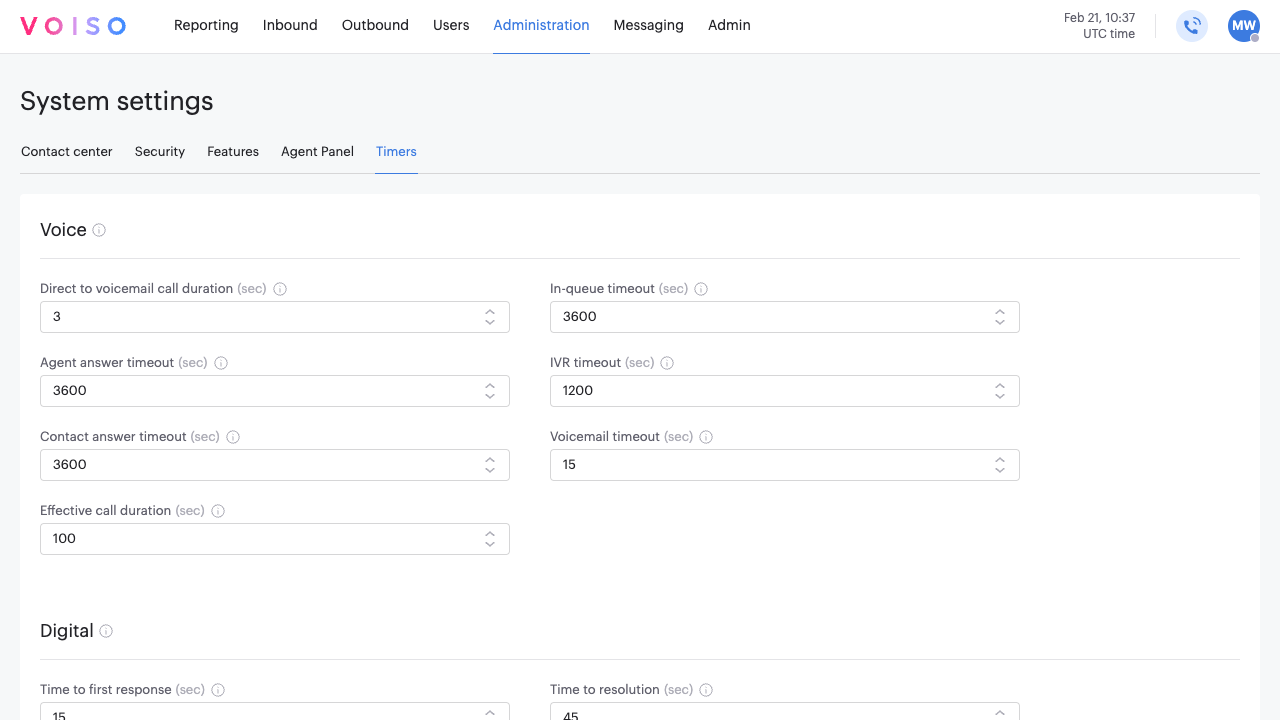
Voice section
These timers define time limits for specific inbound and outbound call activities. Some timers regulate call routing, ensuring efficient handling of interactions. Others influence the calculation of key contact center metrics, such as agent response times and call durations. Configure these timers to optimize call flow and maintain service level standards.
| Feature | Description |
|---|---|
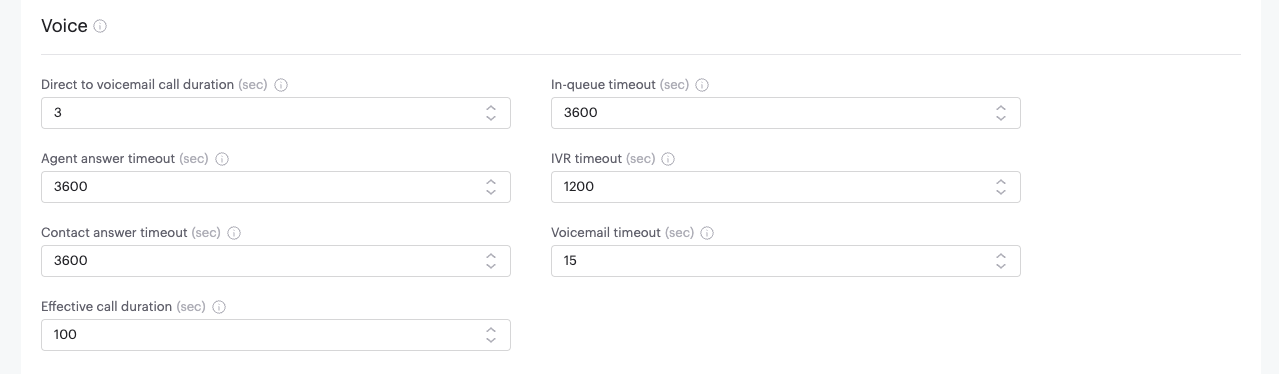
| Direct to voicemail call duration | Specify the maximum outbound call duration, in seconds, before the call is assumed to be answered by voicemail (DVM). |
| In-queue timeout | Specify the duration that a call may wait in queue before being Terminated. |
| Agent answer timeout | Specify the duration that a call routed to an agent may ring before being considered not answered by an agent. |
| IVR timeout | Specify the duration that a caller can remain in the call flow (IVR) without making a selection before the call is disconnected. |
| Contact answer timeout | Specify the duration that the system waits for an outbound call to be answered before terminating it. |
| Voicemail timeout | Specify the maximum recording time for a Voicemail message from a contact before the call is disconnected. |
| Effective call duration | Specify the outbound call duration that is considered to be the minimum time for a call to be considered effective. Can be overridden at the Teams level. |
Digital section
These timers define the Service Level Agreement (SLA) limits for omnichannel interactions. They play a key role in calculating performance metrics and assessing agent efficiency. By setting appropriate SLA timers, agents can track their response times and resolution rates across their digital channels. This helps ensure consistent service quality and adherence to performance goals.

| Feature | Description |
|---|---|
| Time to first response | Specify the duration before an interaction assigned to an agent reaches the maximum allowed time for a first response to a text interaction. A color-coded message is displayed in the Agent Workspace that progresses from green to amber to red as the timeout approaches. |
| Time to reply | Specify the duration before an interaction assigned to an agent reaches the maximum allowed time for a reply to each text message from a contact. A color-coded message is displayed in the Agent Workspace that progresses from green to amber to red as the timeout approaches. |
| Time to resolution | Specify the maximum time that an agent has to archive an interaction. A color-coded message is displayed in the Agent Workspace that progresses from green to amber to red as the timeout approaches. |
| Chat inactivity auto archive timeout | Specify the number of hours of inactivity allowed before an omnichannel interaction is automatically archived. Set to 0 to disable auto-archiving. |
Unavailable section
The Unavailable section includes settings that control how long agents can remain inactive before their status changes or they are logged out. These timers help ensure efficient agent management and system performance.

| Feature | Description |
|---|---|
| Max online time | Specify the duration that an agent is logged in but does not answer any calls or do any other tasks before the agent's status is changed to Unavailable. This timer does not apply to users who are supervisors or administrators. |
| Max unavailable time | Specify the duration that an agent is Unavailable (timed out or inactive) before the agent is automatically logged out. This timer does not apply to users who are supervisors or administrators. |