Who should read this article: Administrators
Configure global, contact center wide defaults such as time zone, UI language, music on hold, ringtones, extension length, and audio notifications. It also includes settings for recording whisper sessions and requiring After Call Work activities and wrap up codes.
Introduction
The Contact center tab enables you to specify settings for features that apply across all aspects of your contact center.
General section
Important
Not all features described below may be available in your contact center or at your plan level.
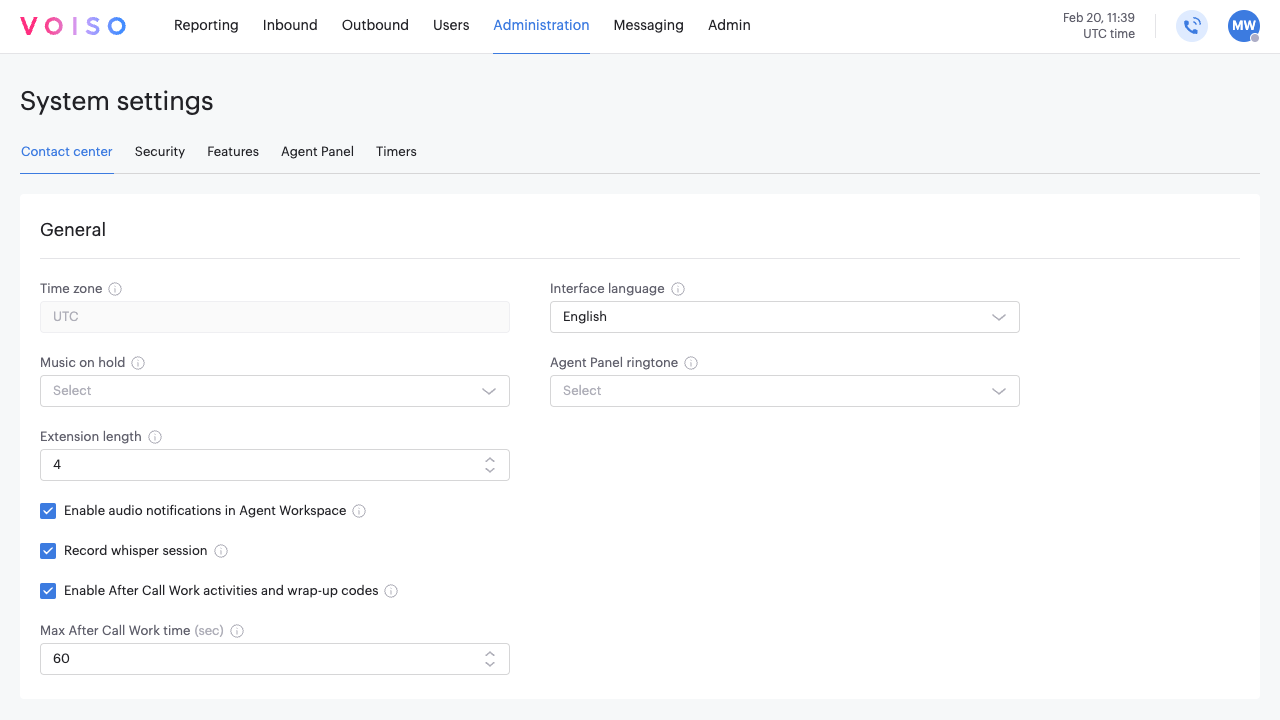
| Feature | Description |
|---|---|
| Time zone | View the time zone where the contact center is located. This can be different than the time zone of the User (agent, supervisor, admin, and so on). Contact Voiso Support Team to adjust this setting. |
| Interface language | The default language for the Voiso interface. Users can change it in their Account settings. |
| Music on hold | Select the Music on Hold (MOH) for the entire contact center. Choose the default music or upload your music files to the Media page. |
| Agent Panel Ringtone | Select the ringtone for calls in the Agent Panel. Choose the default ringtone or upload your audio files to the Media page. |
| Music on dialer waiting | Select the Music on Hold (MOH) for the audio played to agents while they are in the Dialer waiting state during Dialer campaigns. Choose the default music or upload your music files to the Media page. |
| Notification sound on Dialer connection | Select the Voice message audio file from the Media page to play to an agent when a Dialer call connects. The file may contain a tone, music, or spoken word, but only the first 2 seconds of the file are played. Note: For Voice messages played to contacts who answer Dialer campaign calls, use the Voice message option on the Add Dialer campaign page; see Adding a new campaign. |
| Extension length | Specify the number of digits in the phone extension number for agents and queues. The maximum length is 20 digits. |
| Enable audio notifications in Agent Workspace | Specify whether audio notifications are played to agents when events, such as a new message, occur in the Omnichannel Agent Workspace. |
| Record whisper sessions | Specify whether whisper coaching from a supervisor to an agent is recorded as part of the interaction or not. This feature is enabled by default. |
| Enable After Call Work activities and wrap-up codes | Require agents to add a Wrap-up code at the end of a call. When enabled, the after-call work time is added to call results. Agents must be a member of a team that has one or more assigned Wrap-up code groups. |
| Max After Call Work time | Specify the maximum number of seconds that agents may spend in the 'After Call Work' state. |
| Enable chat re-queuing when agent goes offline | If the agent goes offline, their chats are unassigned once the Agent reconnect time elapses, then moved to the top of the queue and offered to the next available agent. Service Level timers aren't reset when this happens. Any unavailable status counts as offline, including custom unavailable codes. Only chats assigned through a queue are affected; chats an agent started themselves or is handling directly stay with them. Disabled by default. |
| Agent reconnect time (sec) | How long an agent can stay offline before their chats are re-queued. Range: 30–600 seconds. Default: 90. Shown only when Enable chat re-queuing when agent goes offline is turned on. |
TIp
When you select a ringtone or music on hold, click the play button next to the file name to preview the audio.